IntroductionLast updated: 2019-06-01
What is Chit
A chit fund is a very popular type of savings scheme in India it is one of the main parts of the unorganized money market industry. The chit fund company, which runs a chit fund, provides access to savings and borrowings for people with limited access to banking facilities. These chit funds are run by chit fund companies and in the article below, we will look at the functioning of chit fund companies, the chit fund business model and the chit fund business registration in India.
About Software
SupremeChit was developed under the chit funds act 1982 and the Tamilnadu chit funds rules in 1984. We are using a transparent and fully automated accounting software Which enables us to offer far better services to our customers to record both chit and financial accounts.
- Chit Funds Accounting Software is highly user friendly.
- Anyone can be manage Chit Fund Business No Need of Computer knowledge is required to operate for this software.
- Chit requires only one time data entry. Any entry made is posted in their respective ledger and statements automatically.
- You can keep ur account live for a life long period
Company Creation
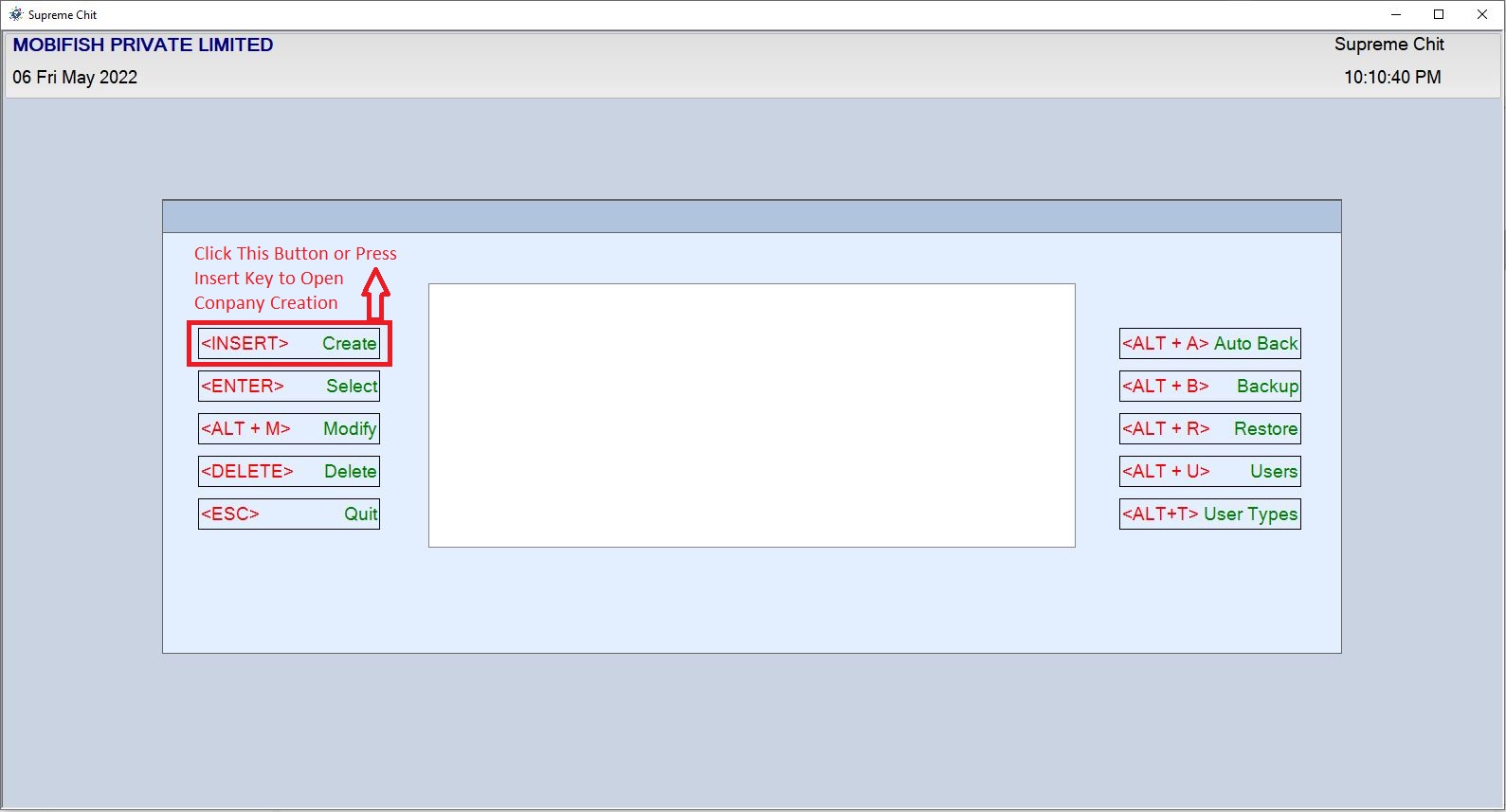
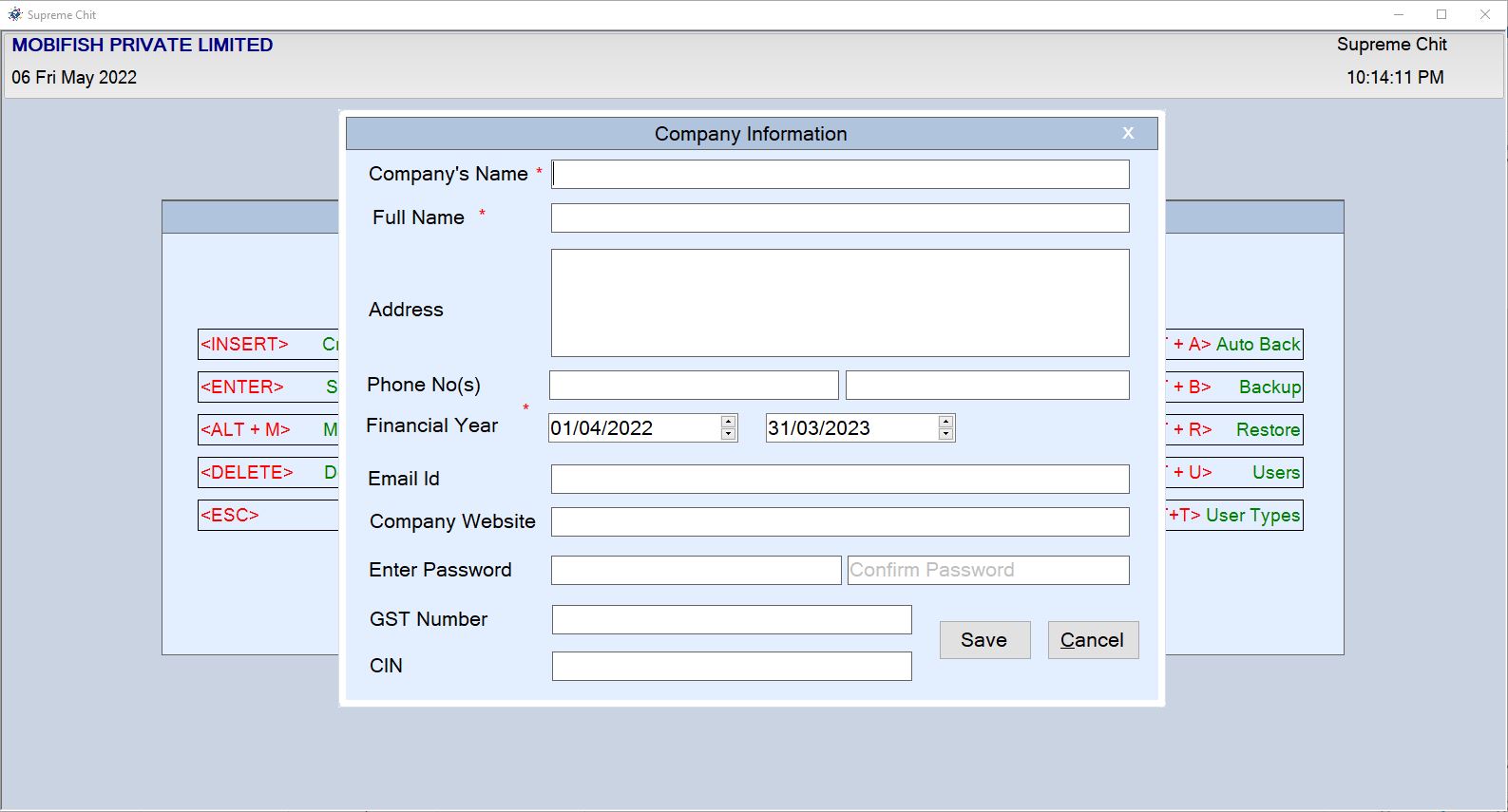
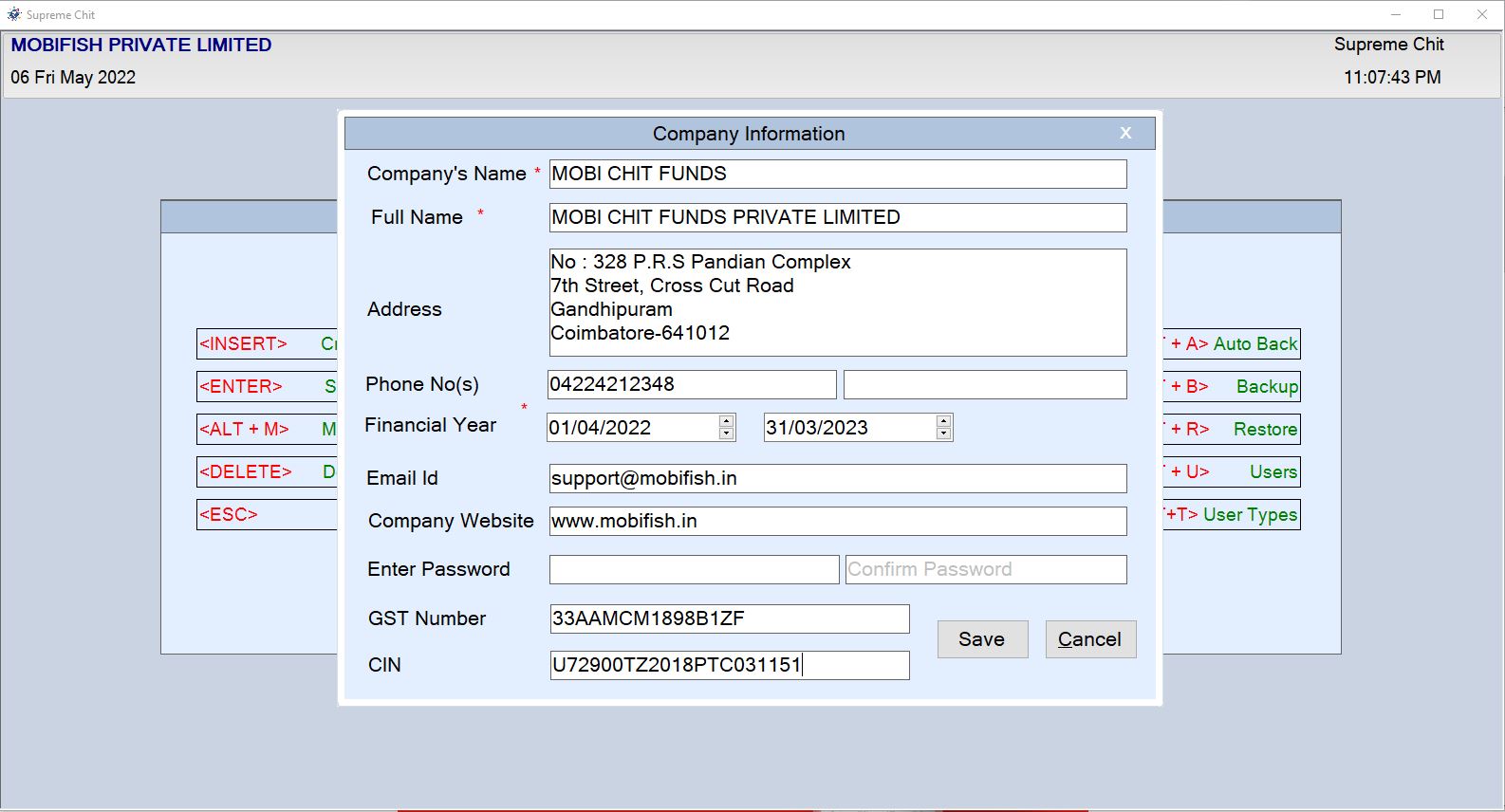
Company Home Page Click Create Button or Press < Insert > Key on Keyboard Company Creation Window Open
Company Creation Example:

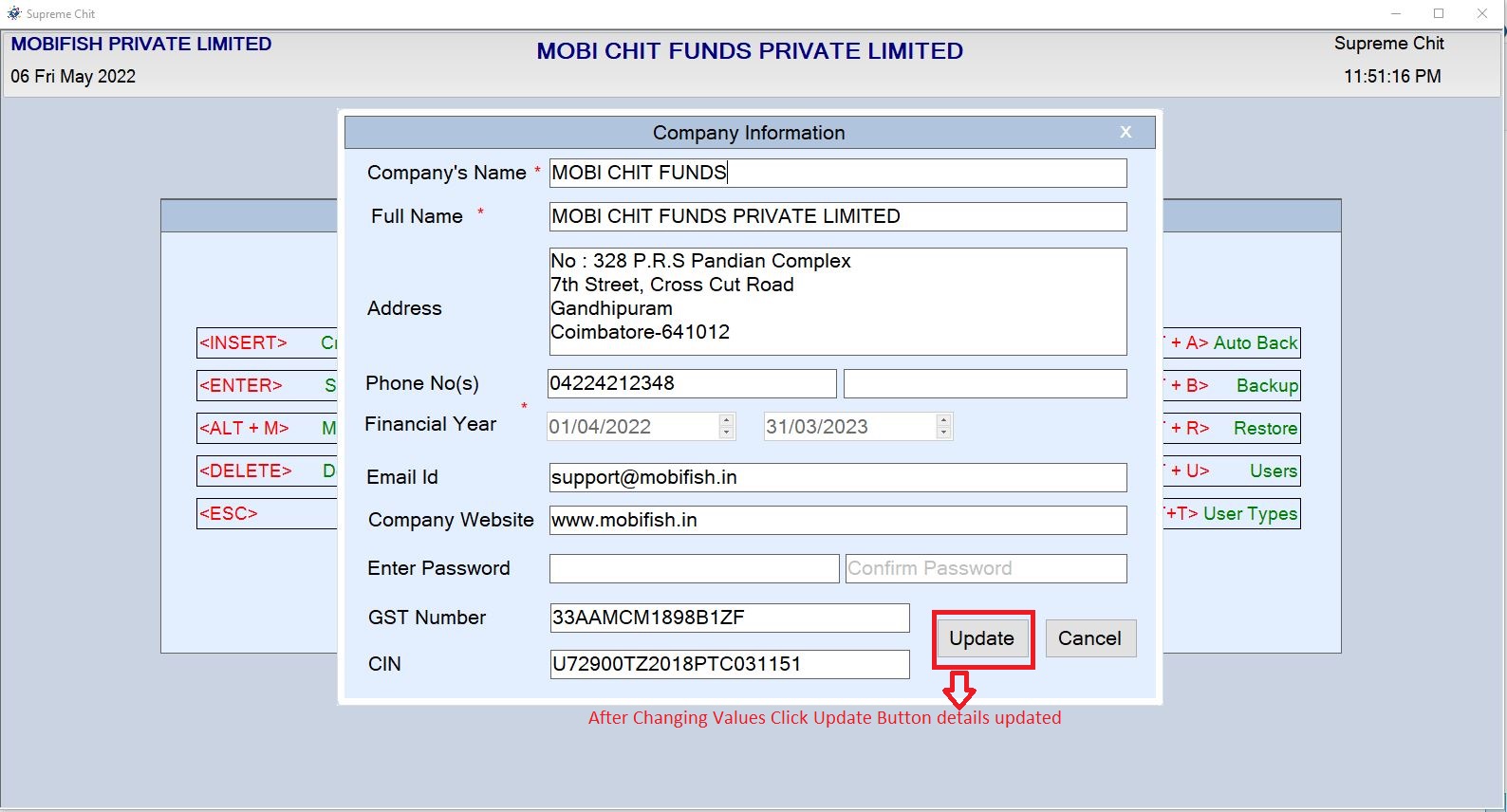
Modify Company
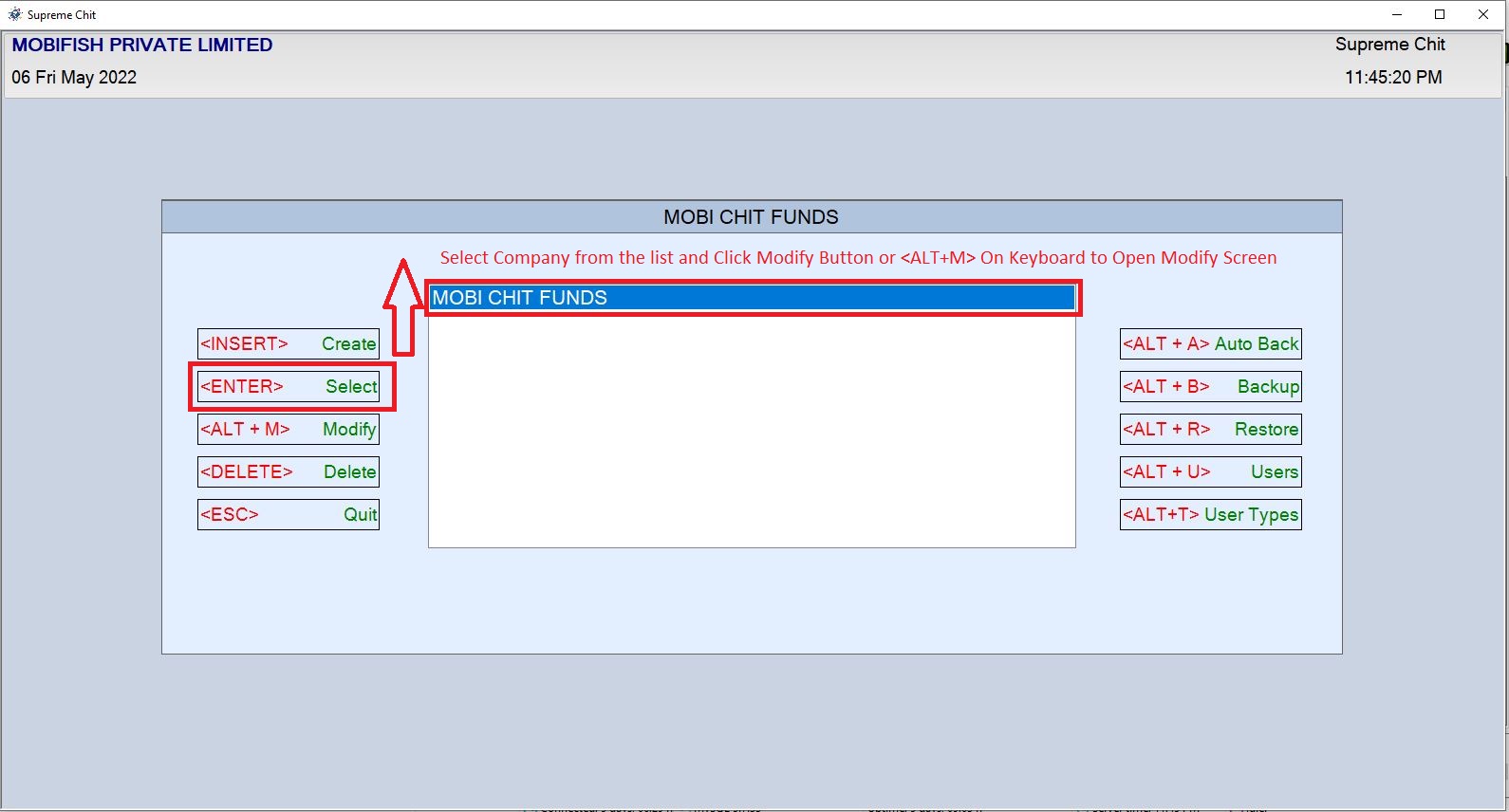
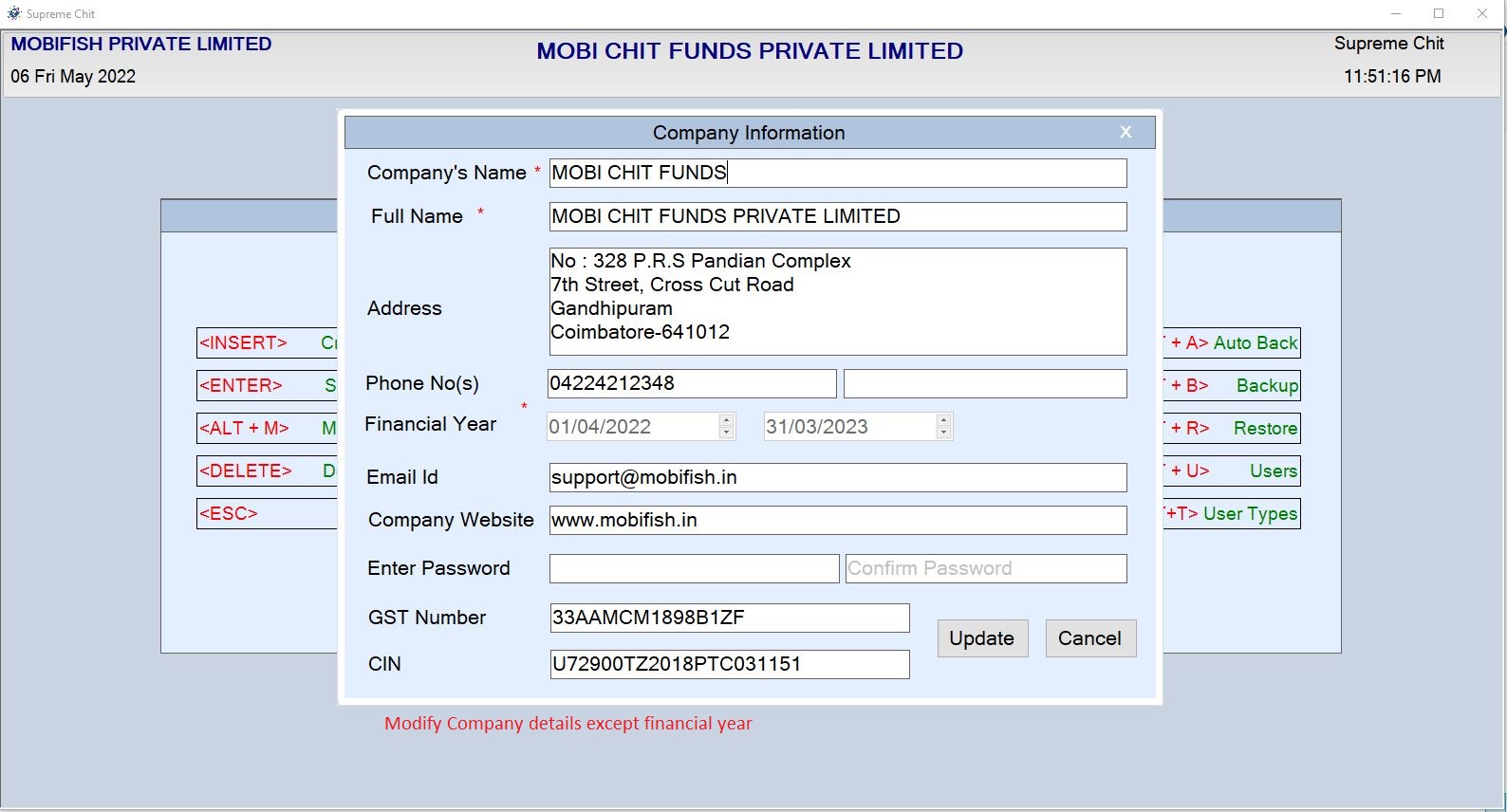
Company Home Page Select Company which you modify and Click Modify Button or Press < ALT + M> Key on Keyboard Company Modification Window Open
After Change Complete Click Update Button on Window Modification Updated
Company Modification Example:
Delete Company
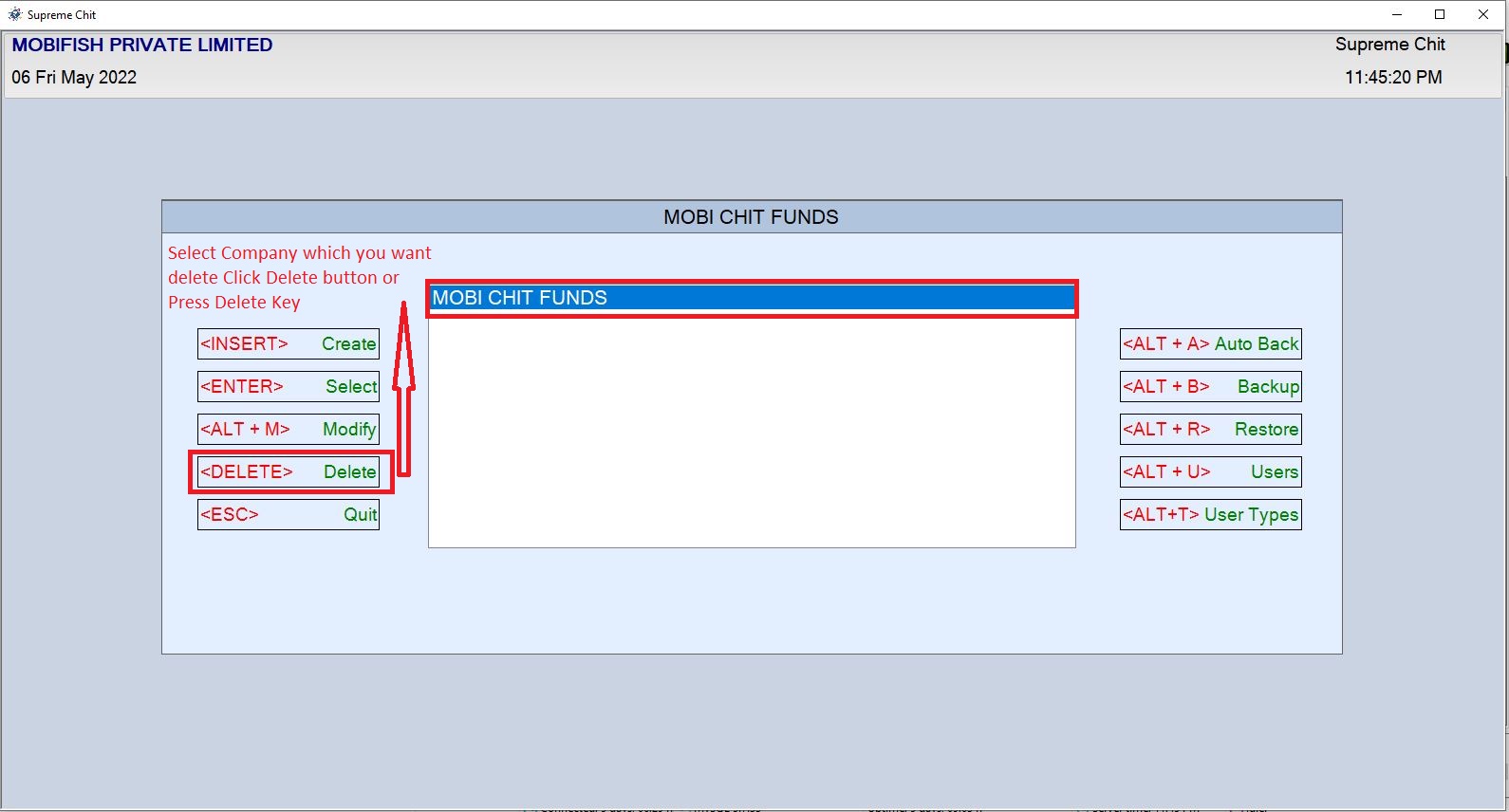
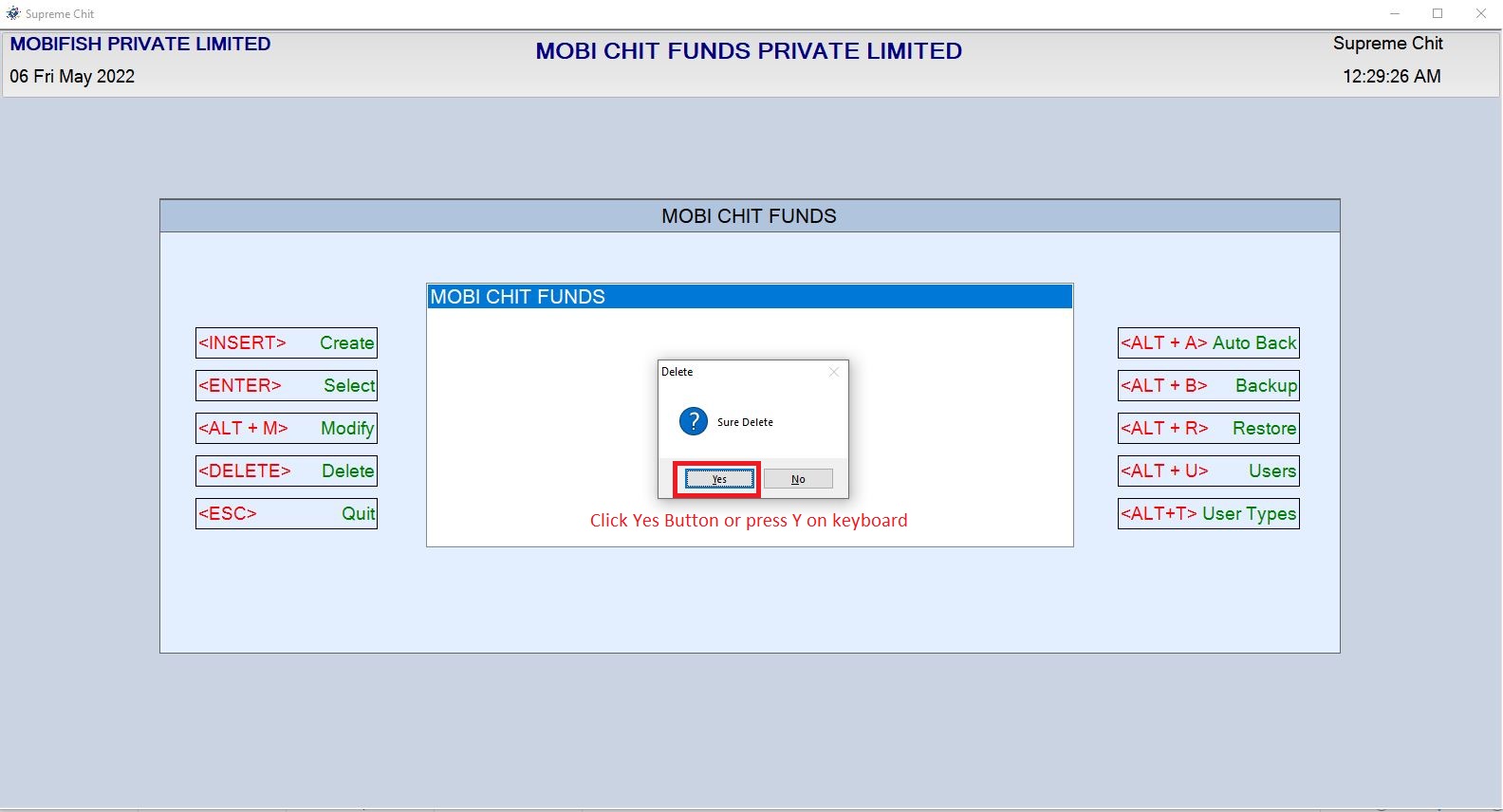
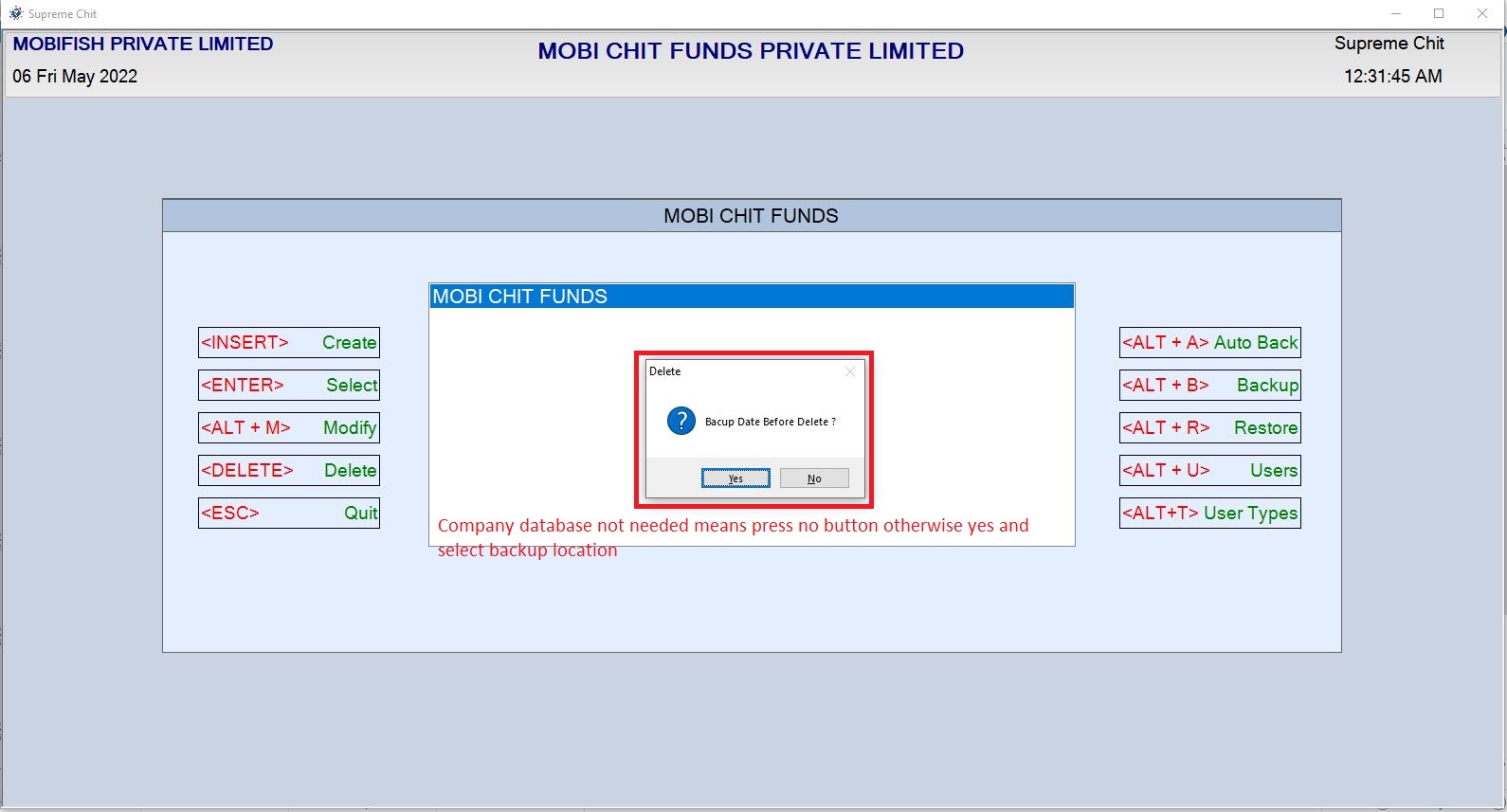
Company Home Page Click Delete Button or Press < Delete> Key on Keyboard Company Creation Window Open
Company Delete Example:
Backups
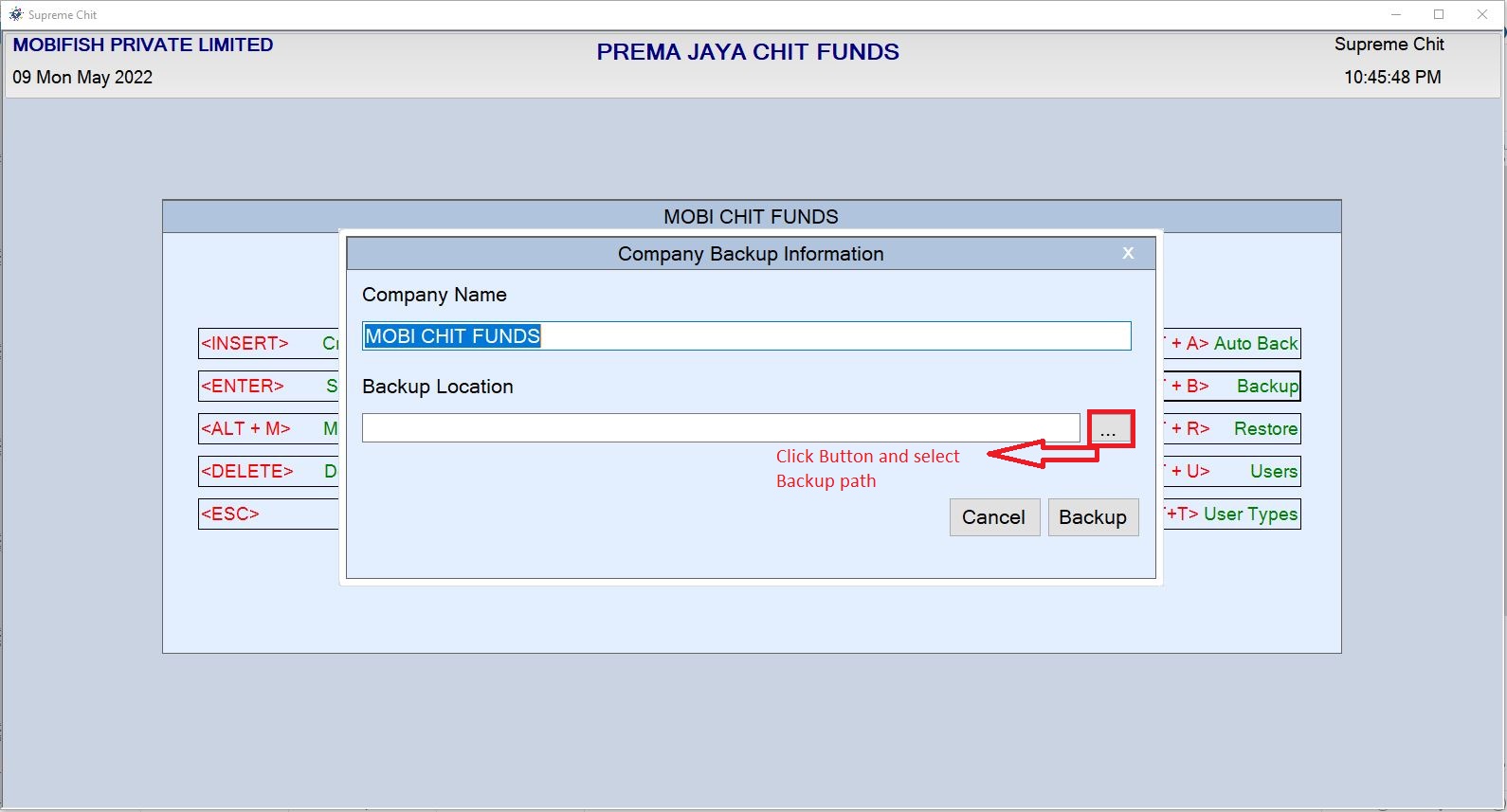
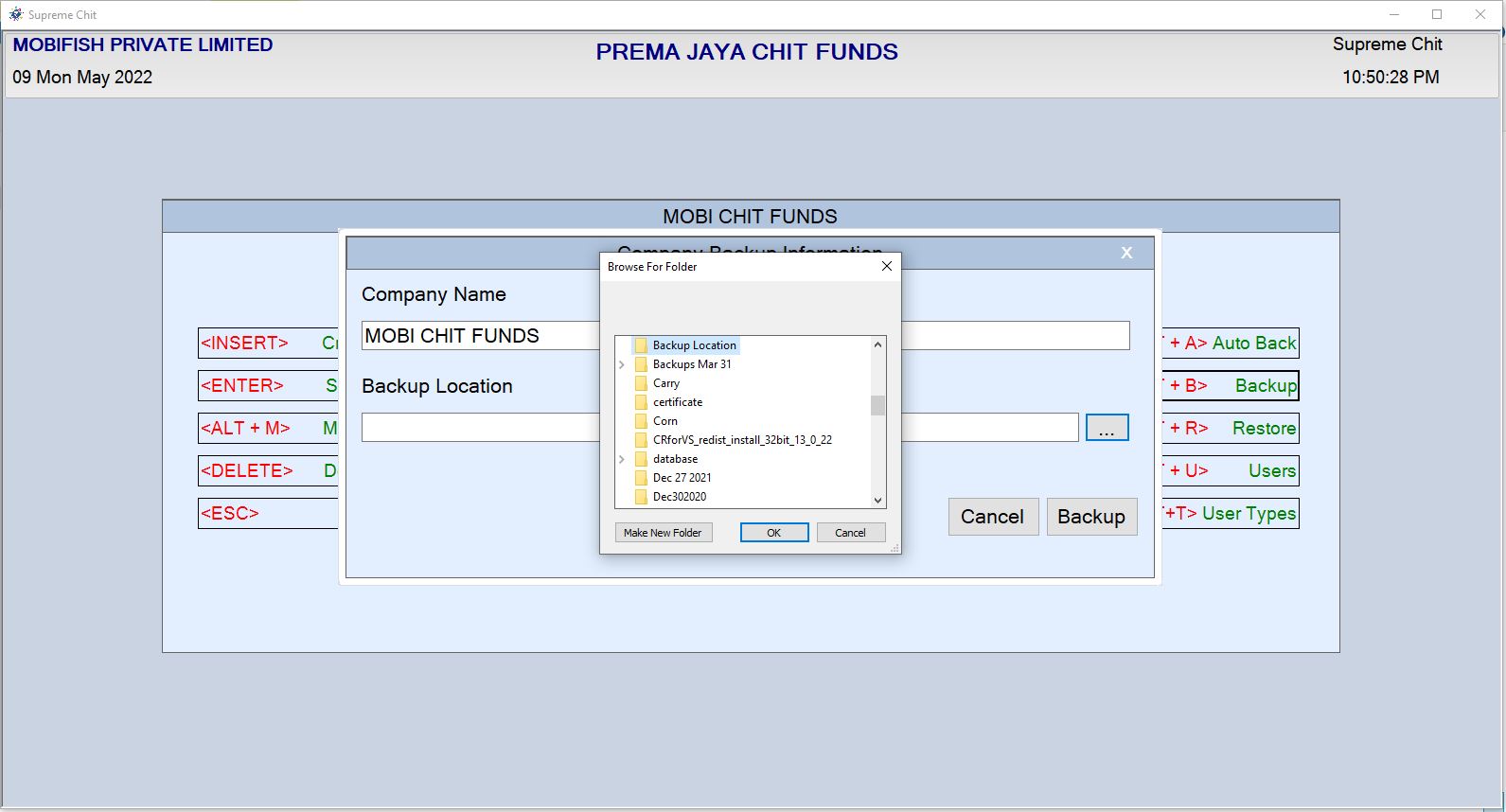
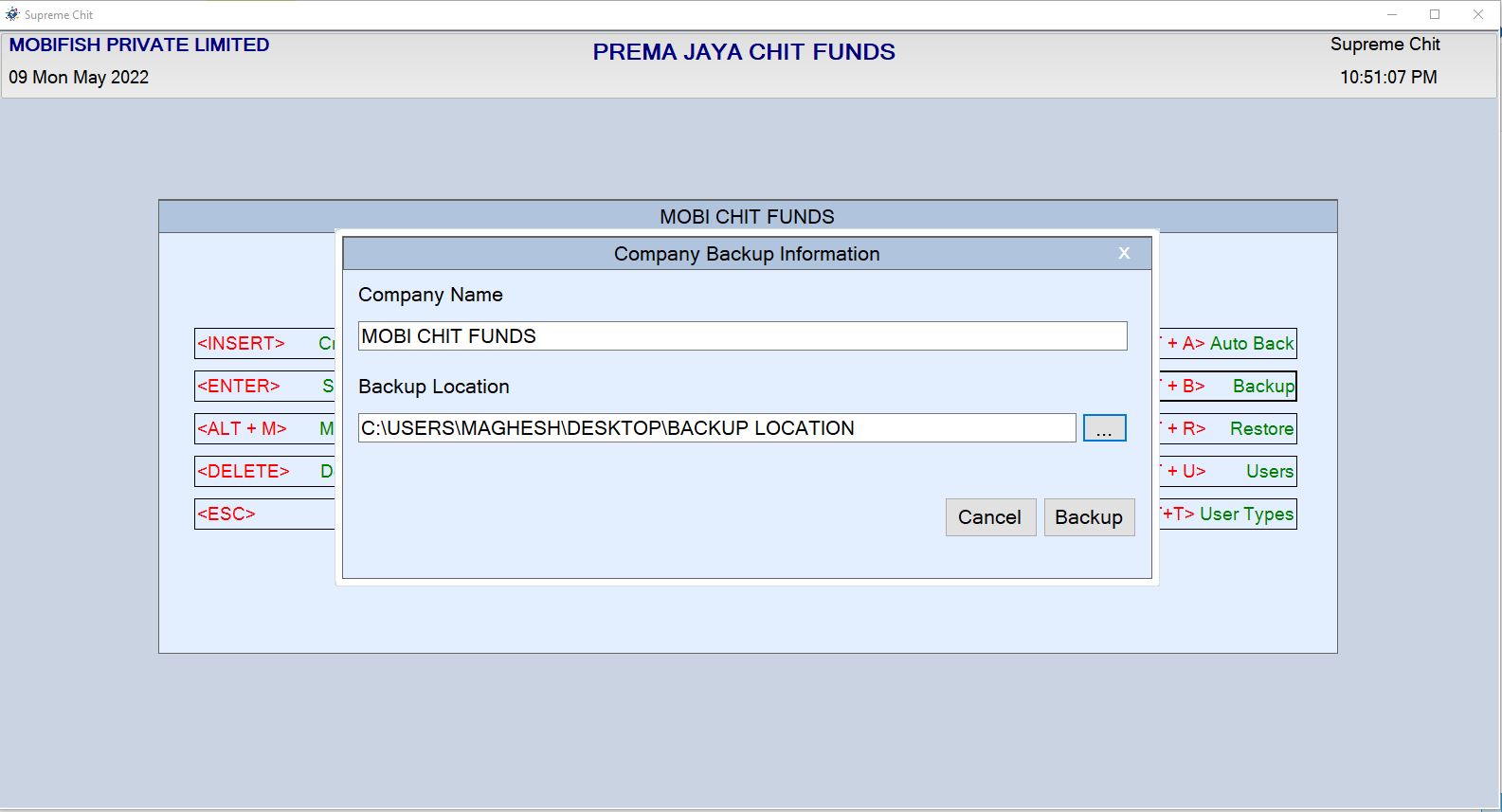
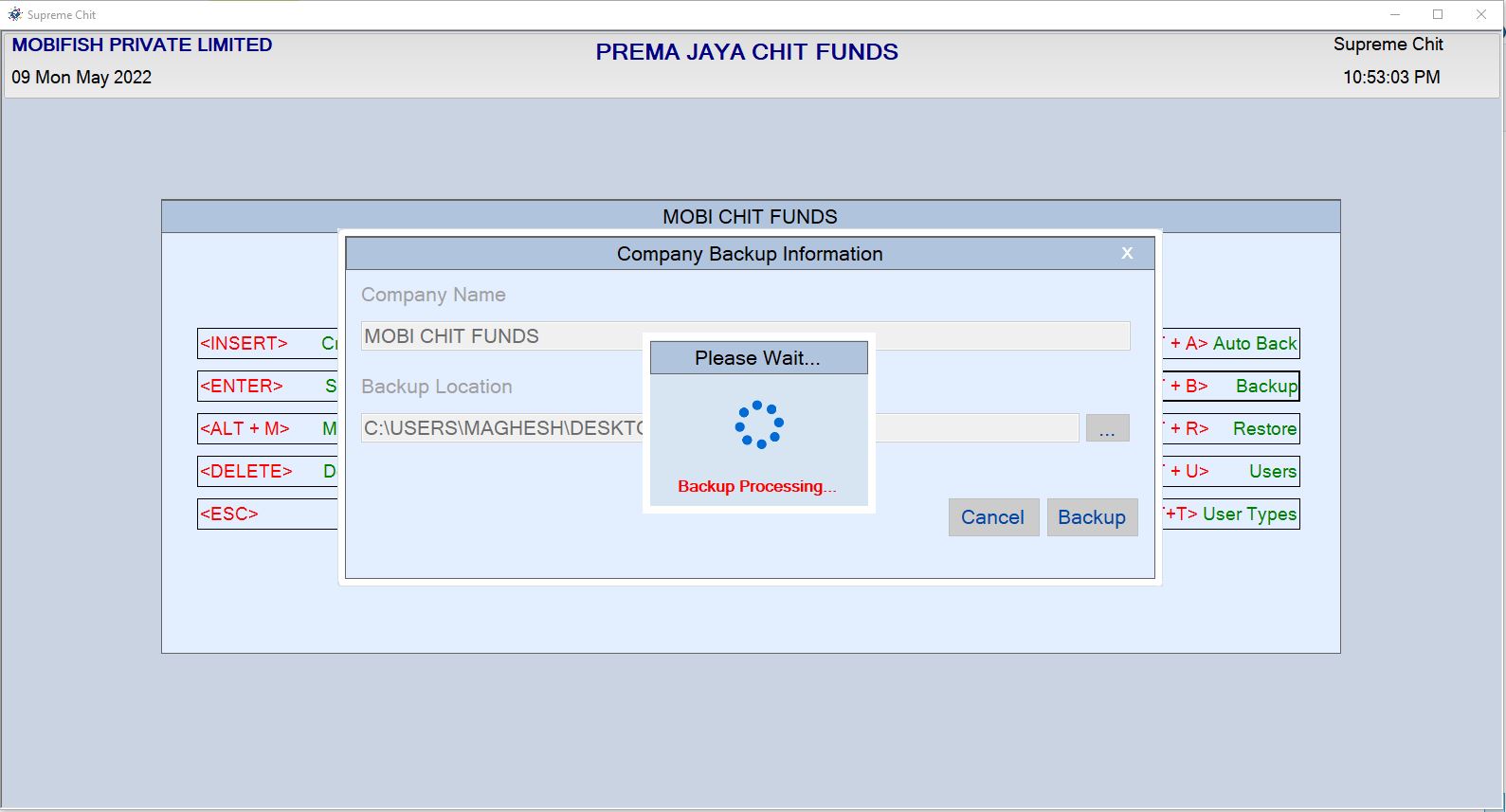
Company Home Page Click Backup Button or Press < ALT + B> Key on Keyboard Backup Window Open
Backup Example:

Restore
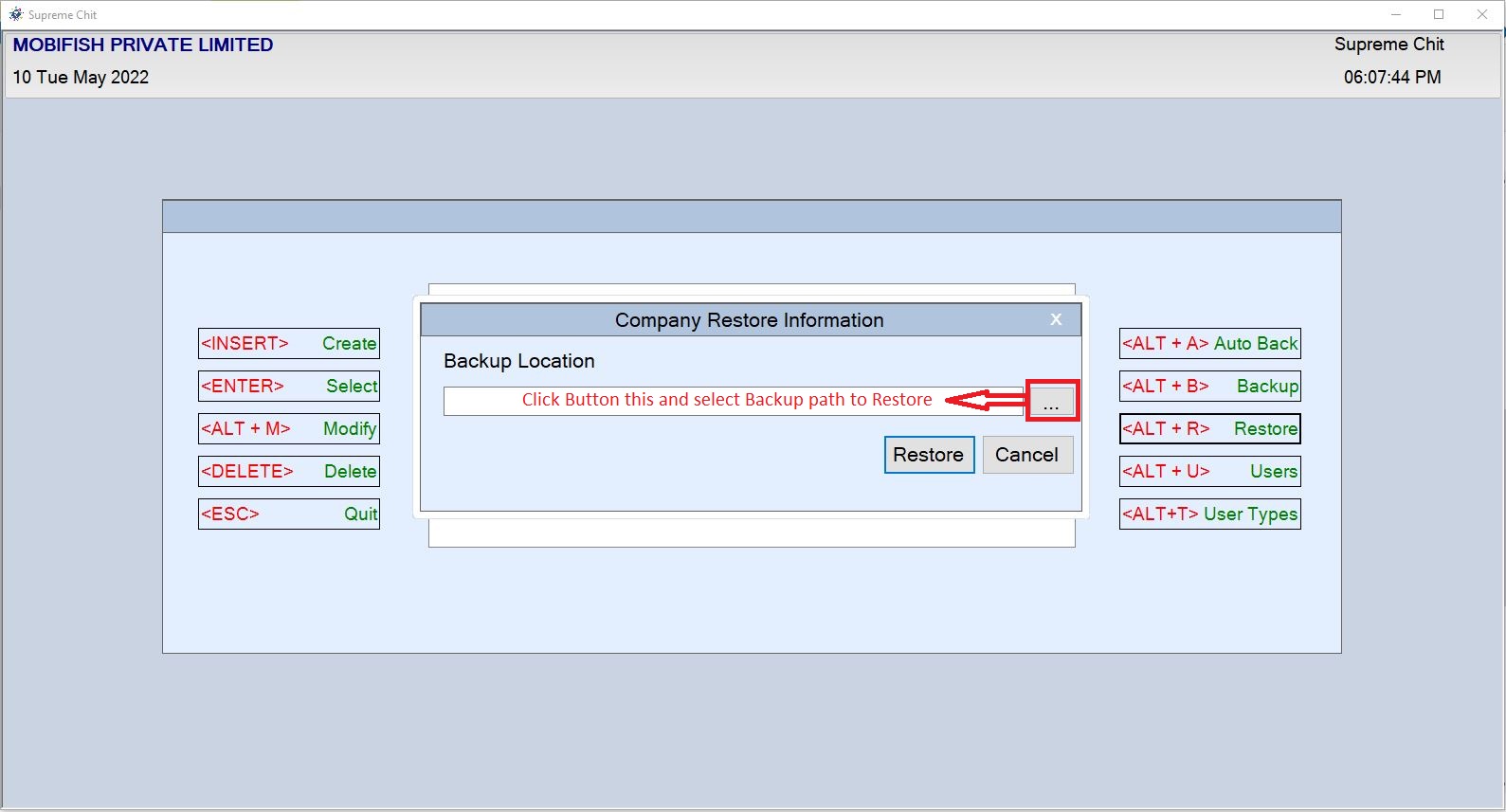
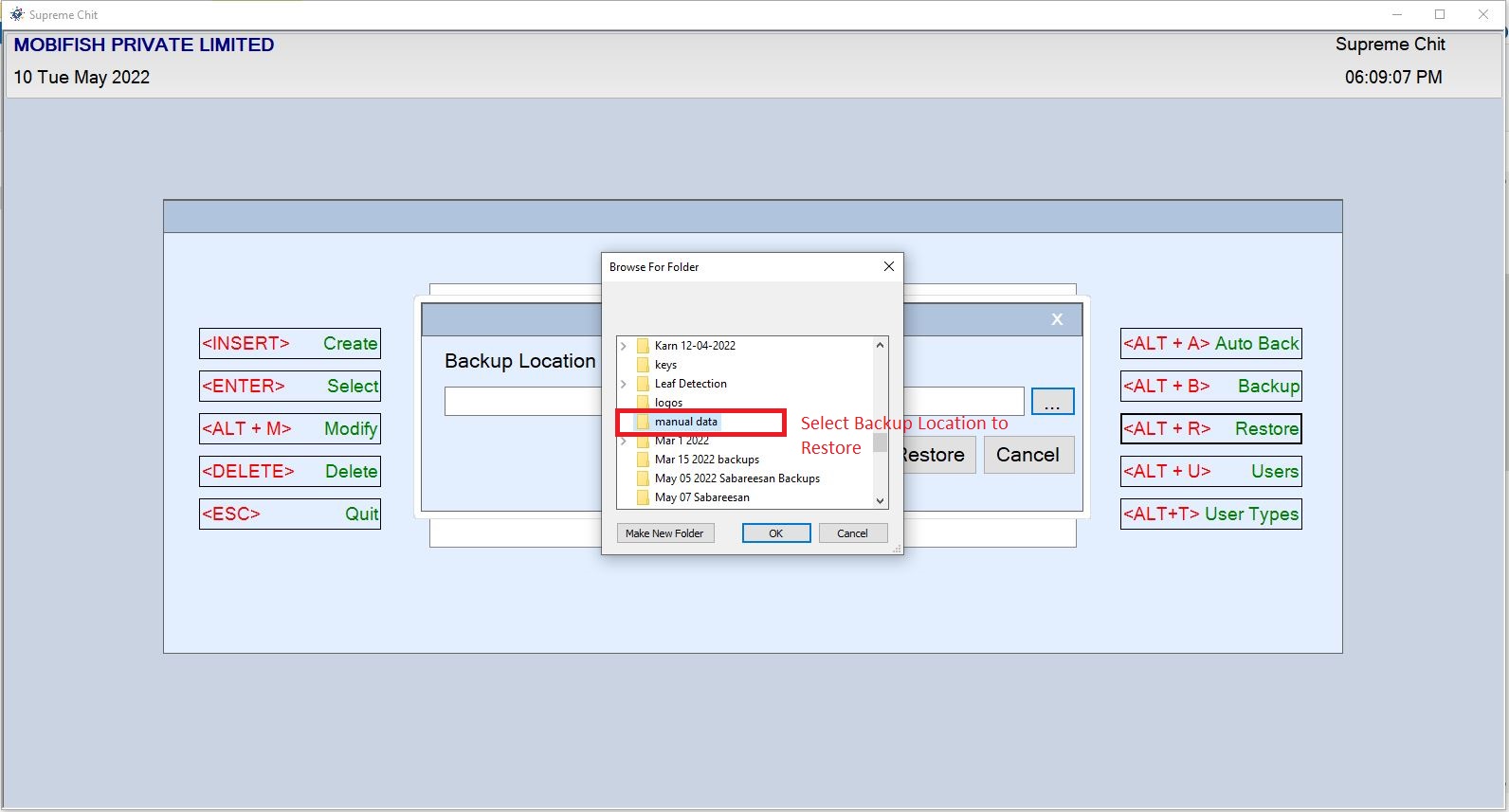
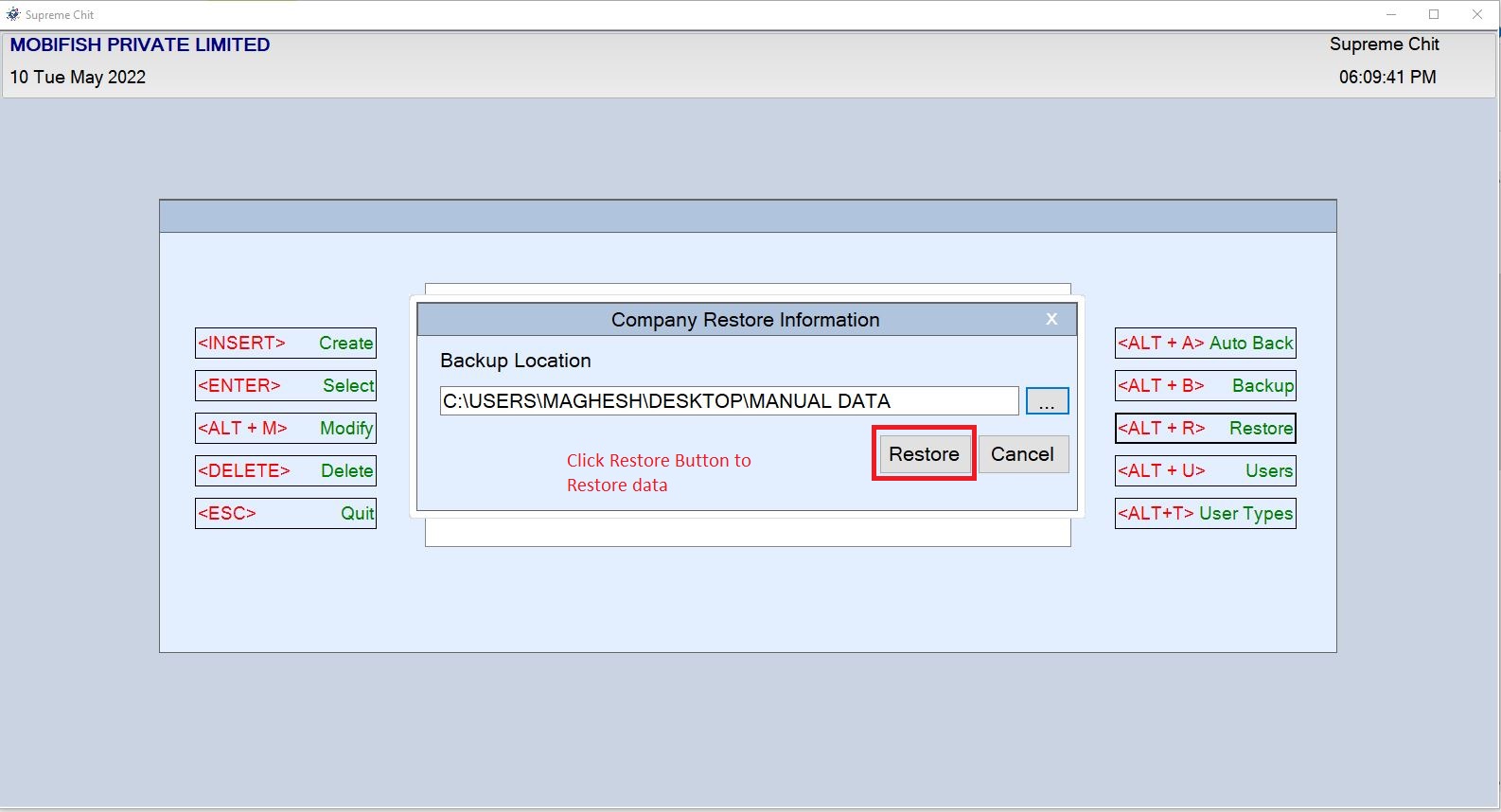
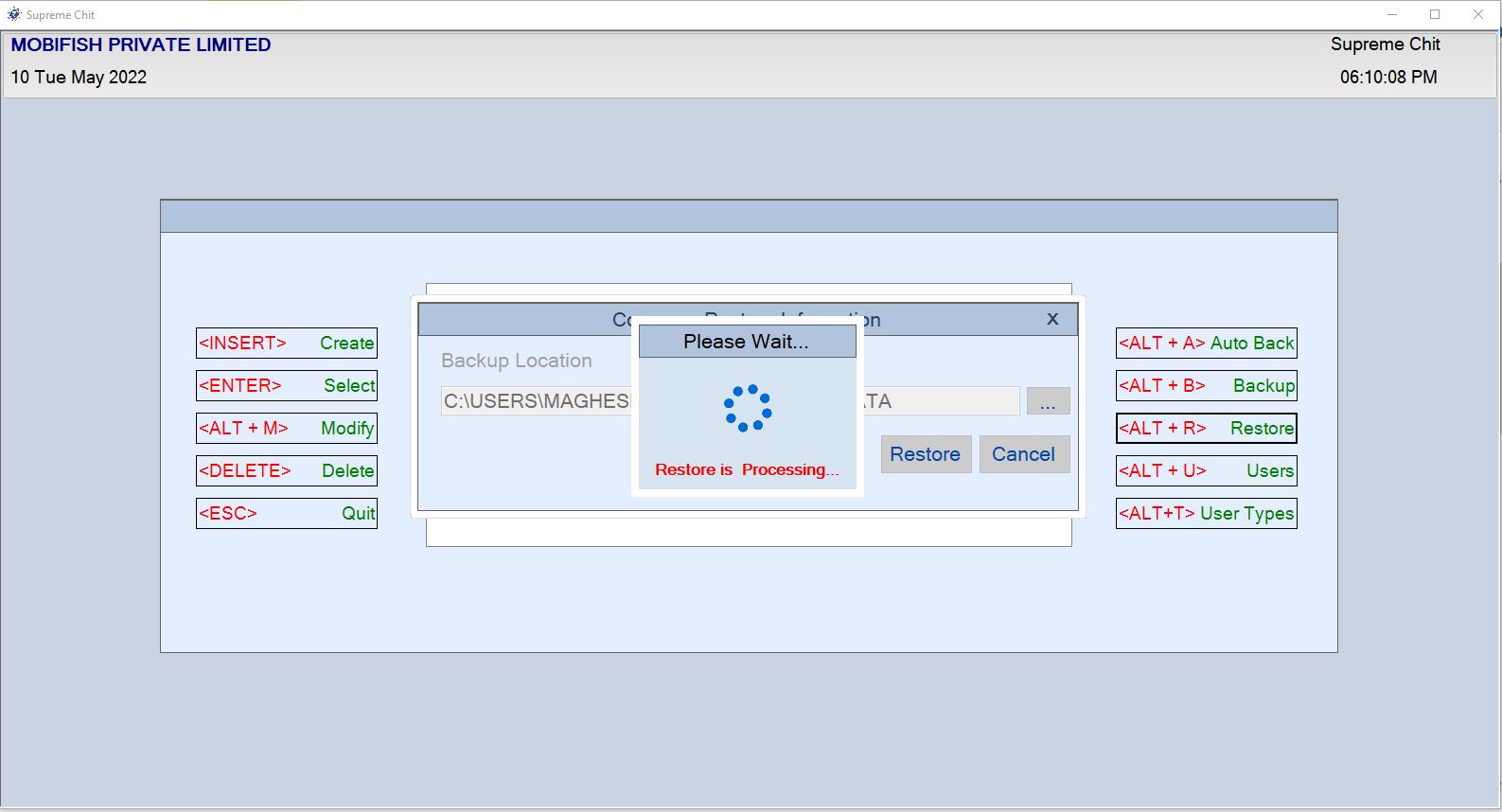
Company Home Page Click Restore Button or Press < ALT + R> Key on Keyboard Backup Window Open
Restore Example:

Autobackup
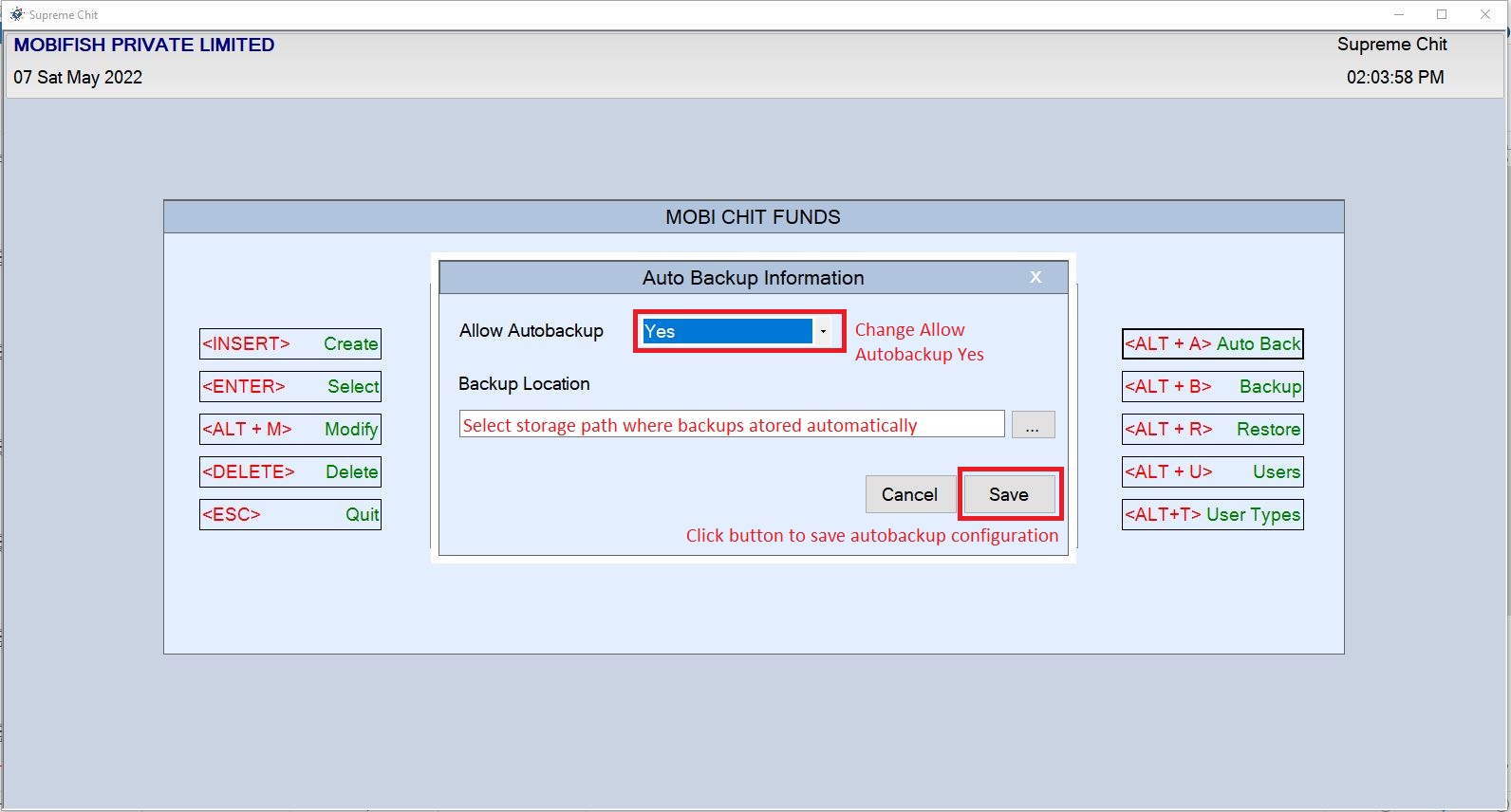
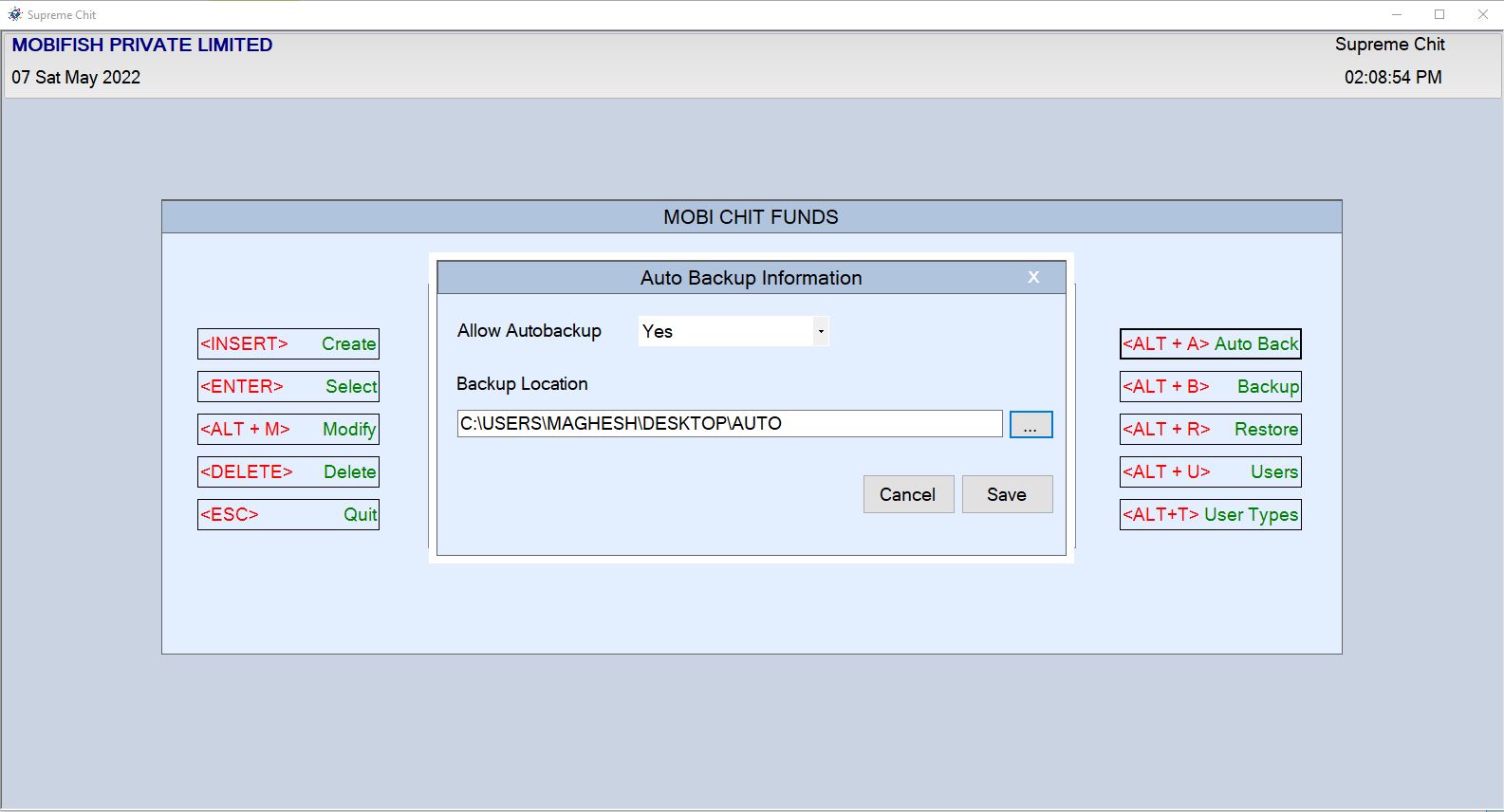
Company Home Page Click Autobackup Button or Press < ALT + A> Key on Keyboard Autobackup Config Window Open
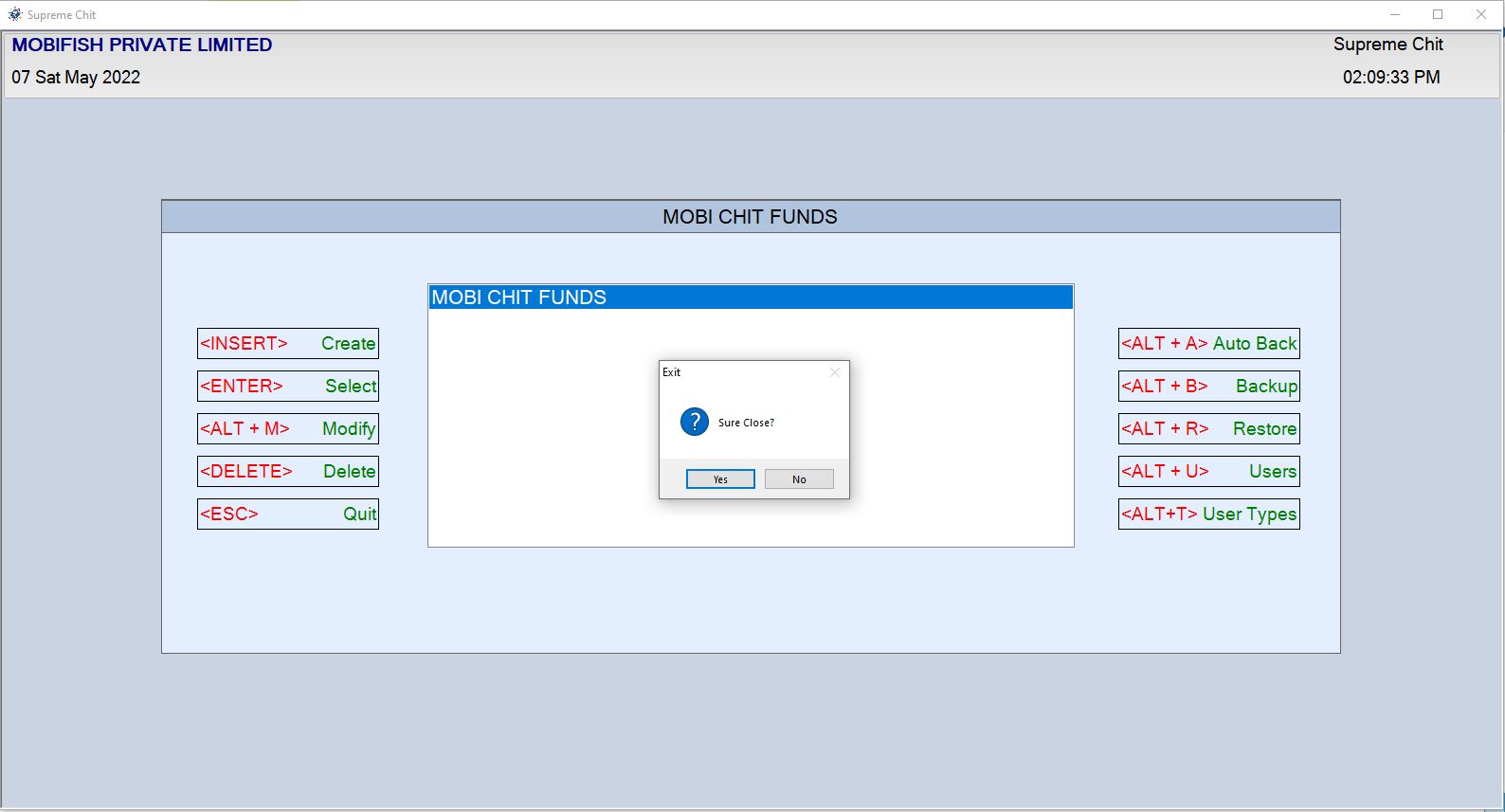
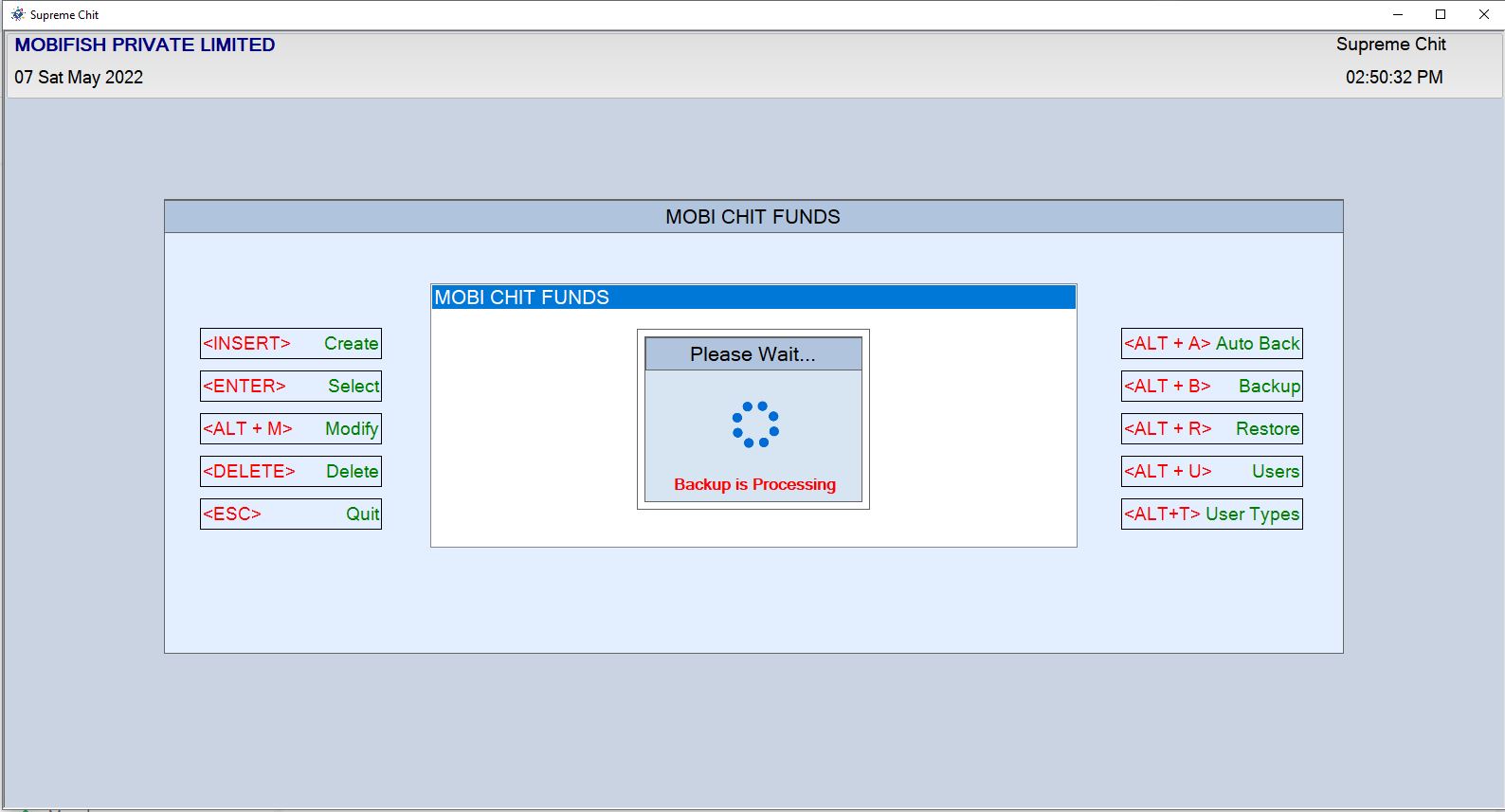
Autobackup Example:

Year Selection
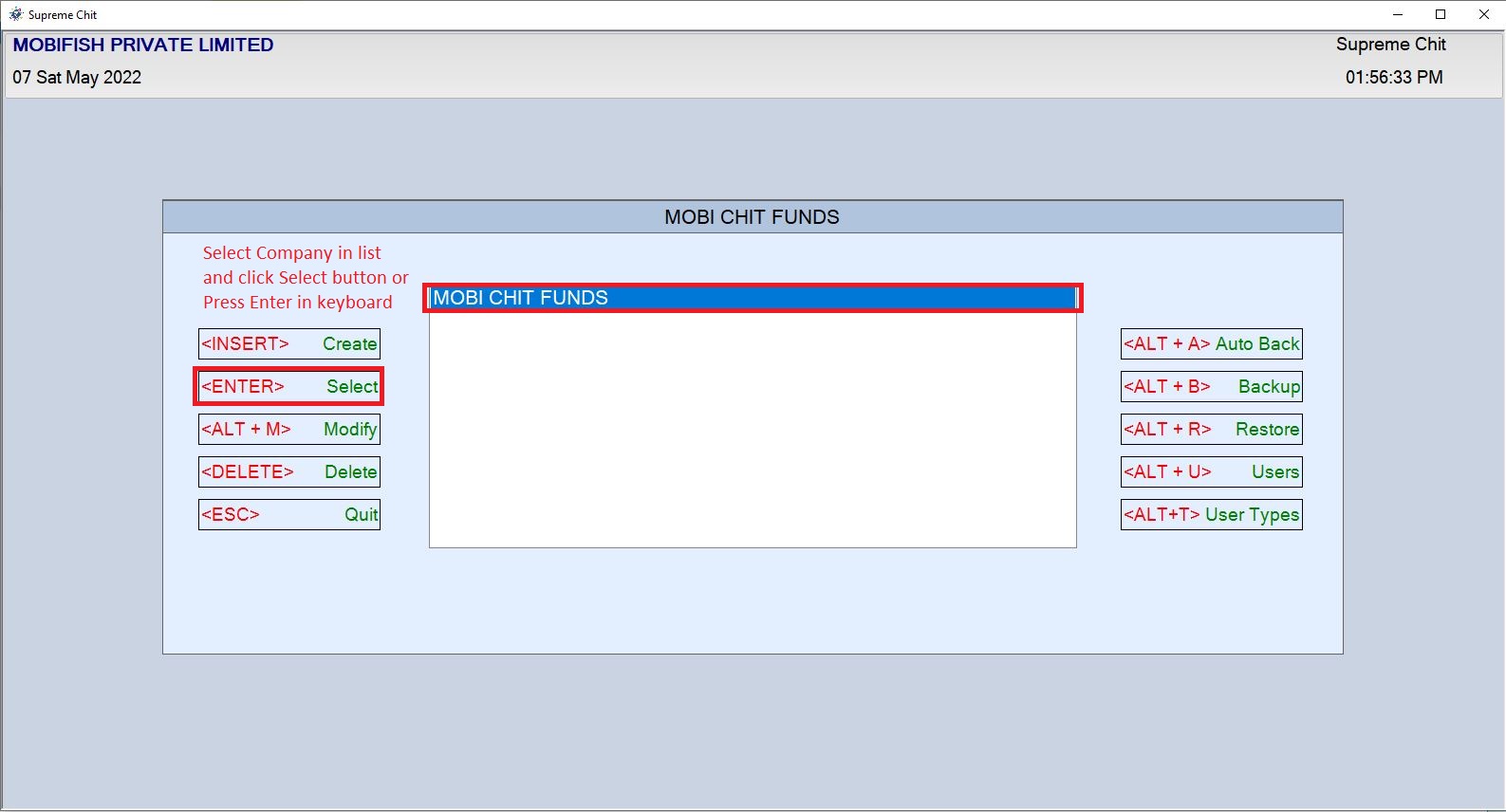
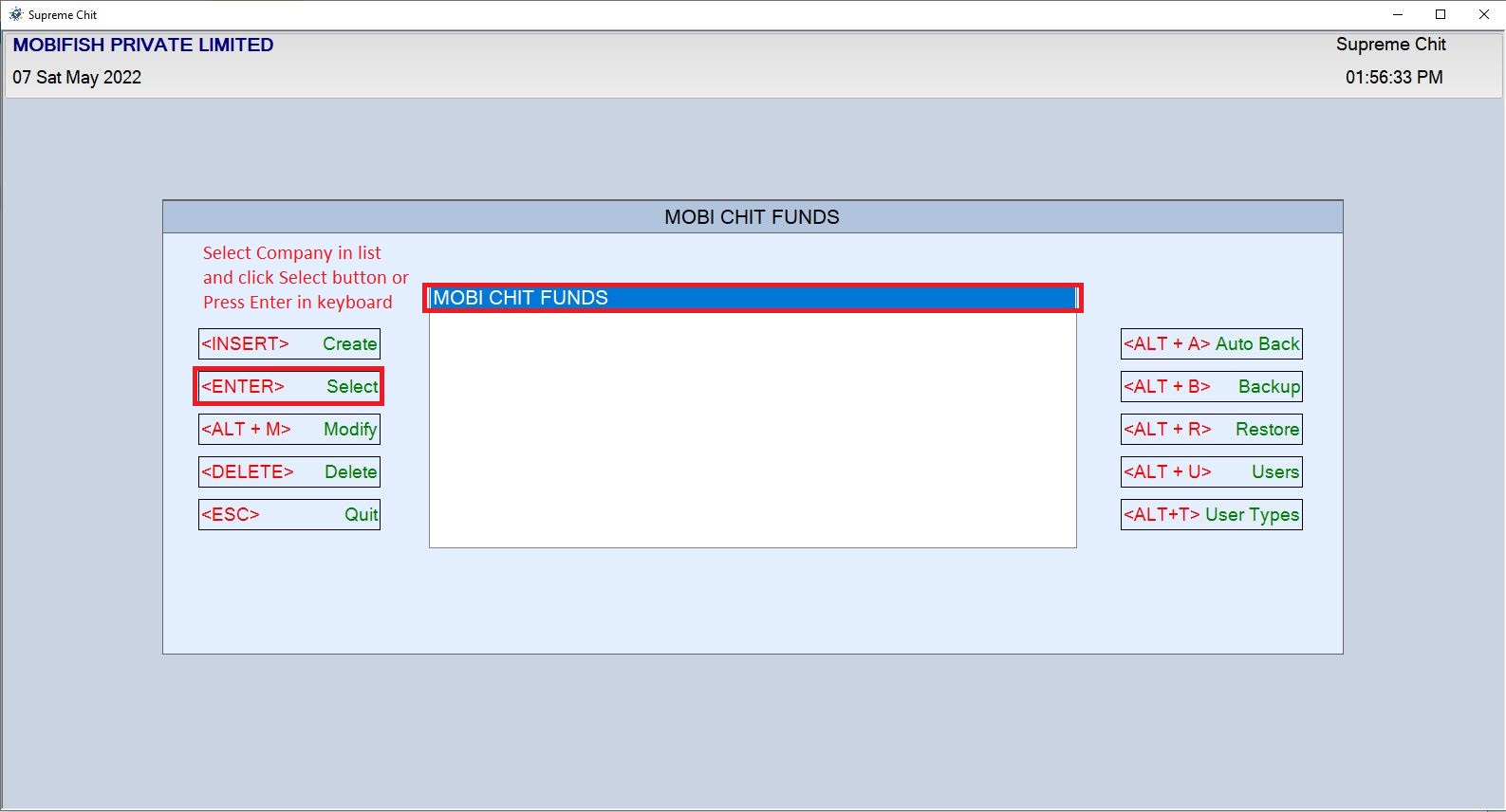
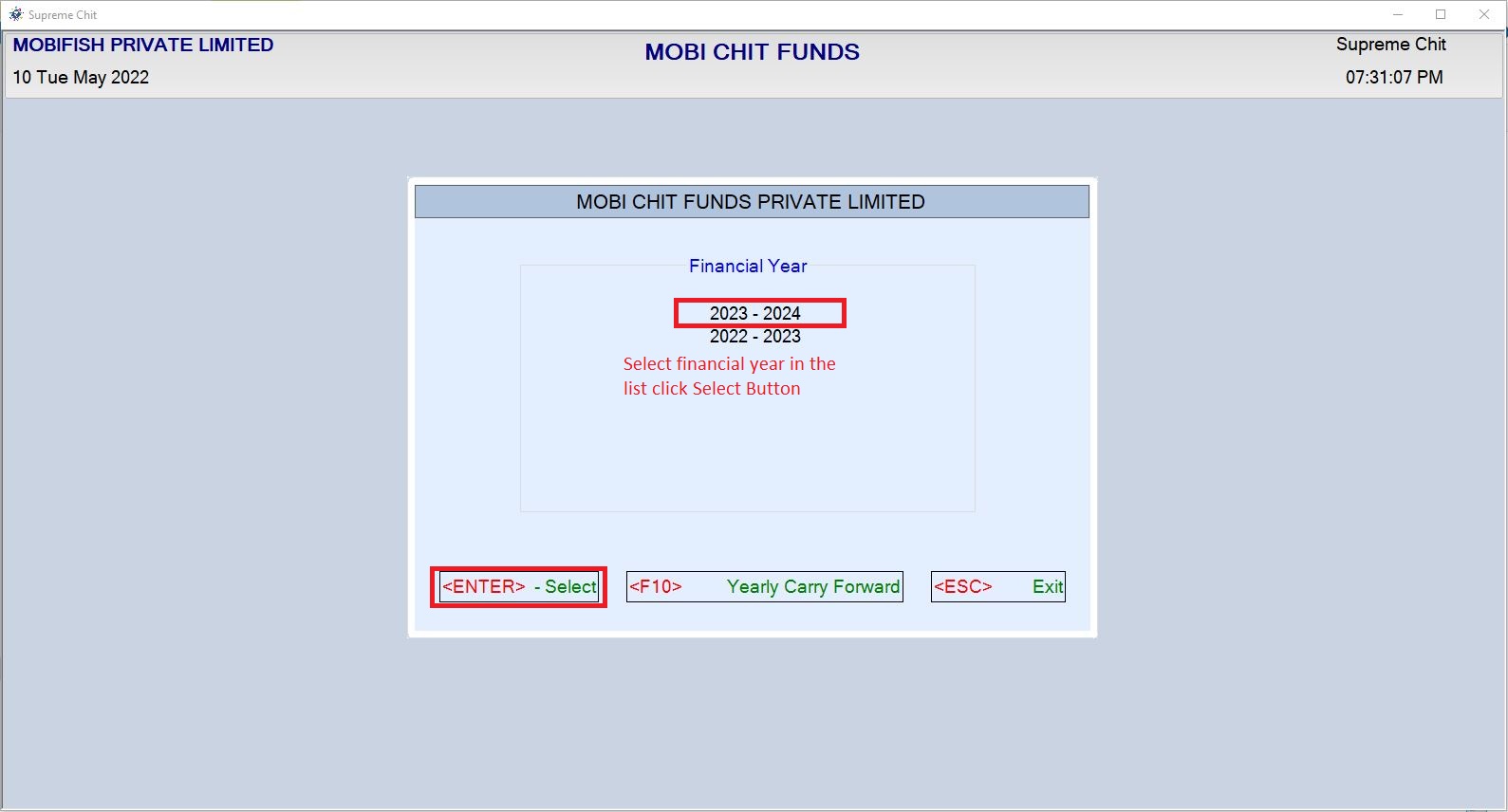
Company Home Page Select Company which you want Year Selection and Click Select Button or Press < ENTER> Key on Keyboard Year Selection Window Open
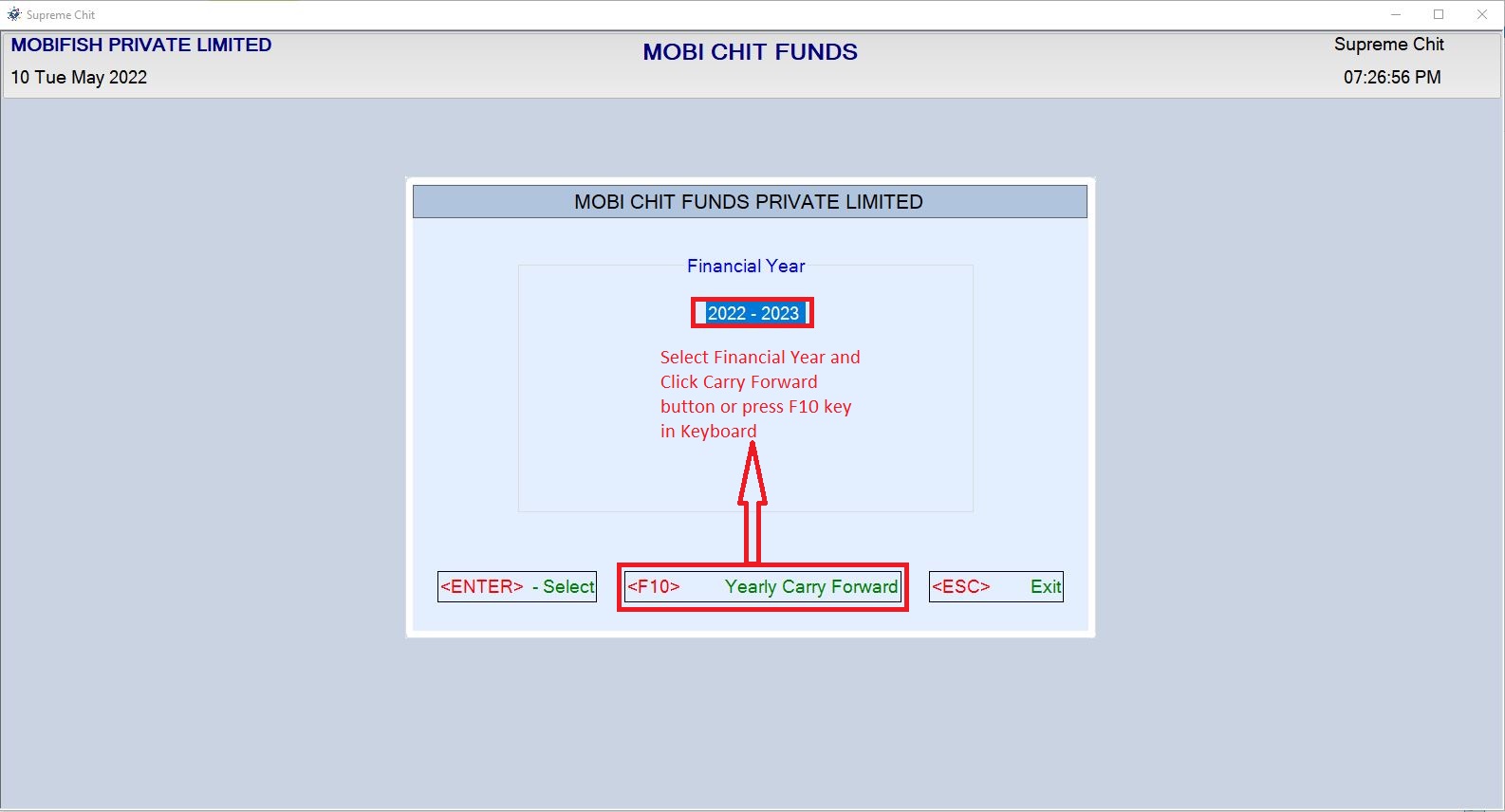
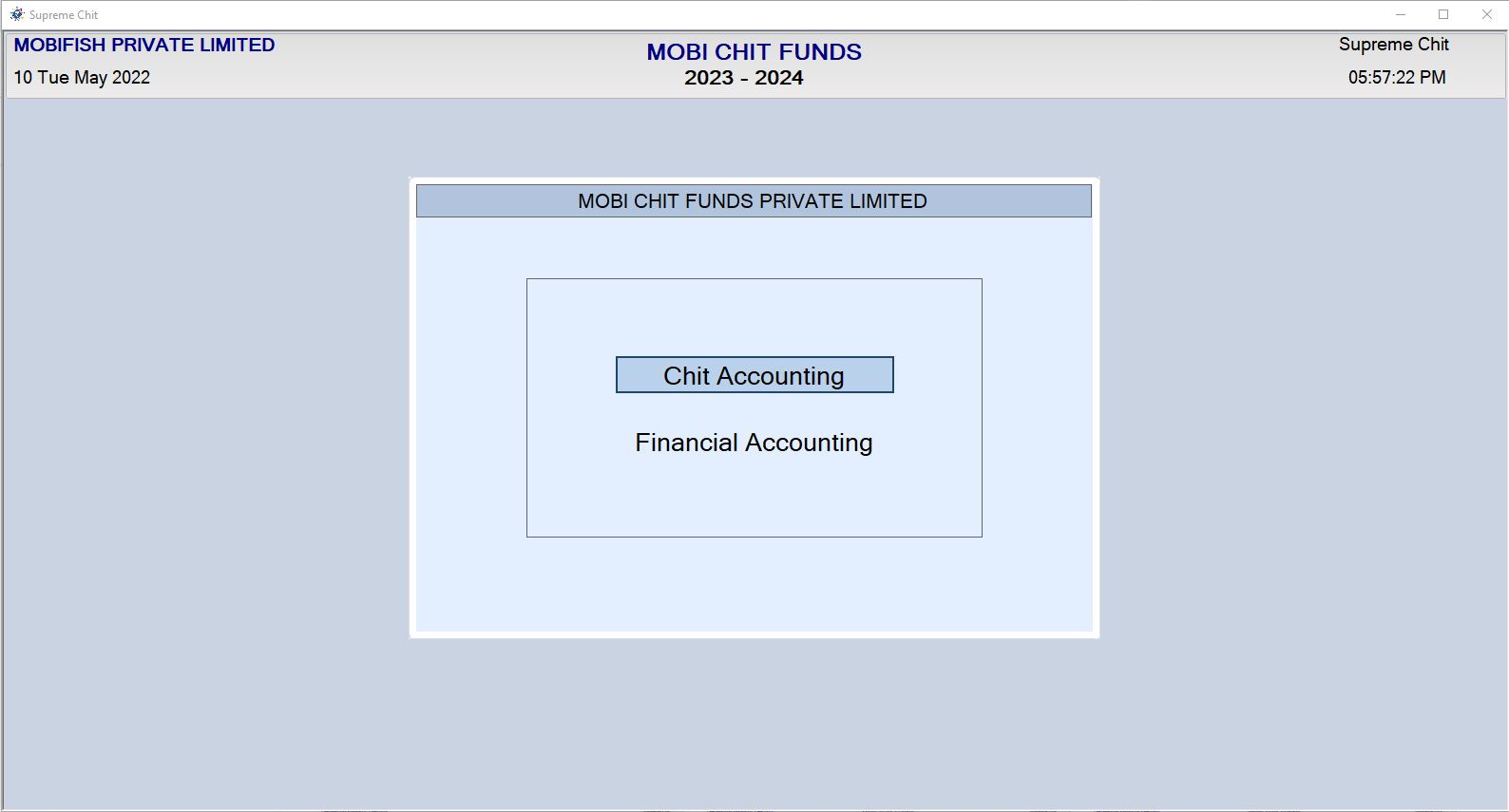
Year Selection Example:
Carry Forward
Company Home Page Select Company which you want carry forward and Click Select Button or Press < ENTER> Key on Keyboard Year Selection Window Open
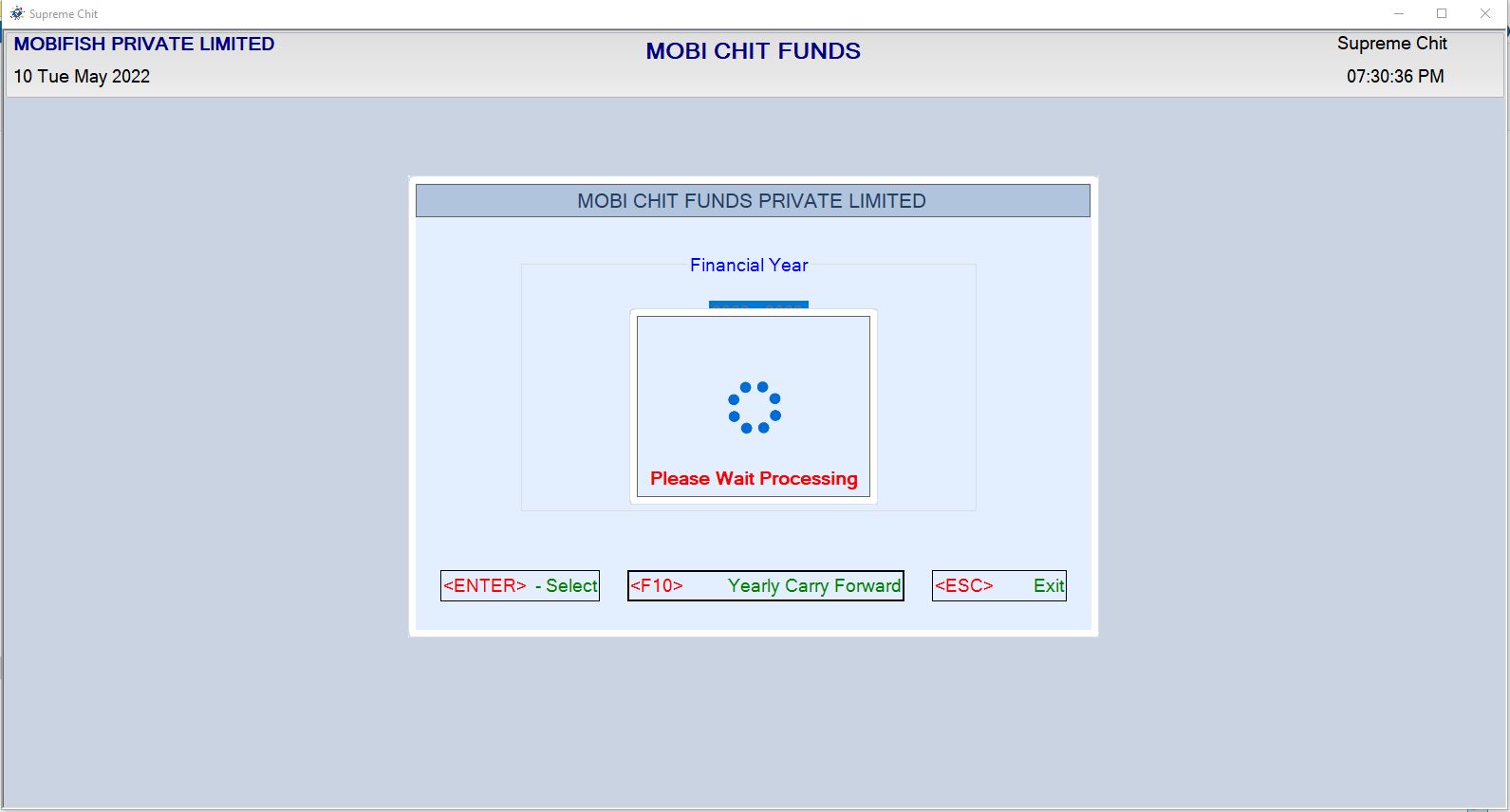
Carry forward Example: